

Company Document Portal
Every file, every version, every approval in one secure portal. Edit Excel, Word, PowerPoint and PDF right in the browser, find any document by what’s inside it, and keep a full record of who changed what.
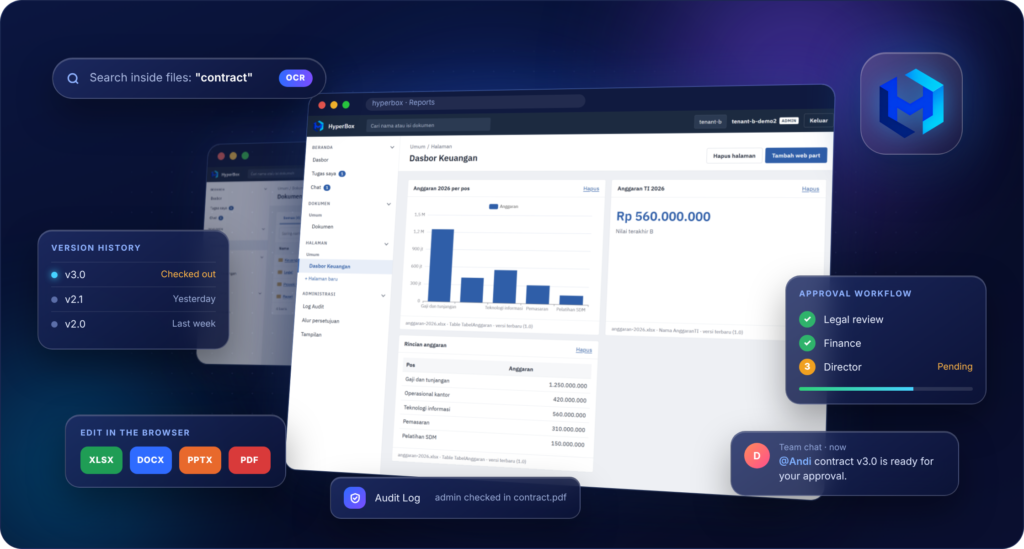
One PortalforEvery Document
Overview
HyperBox brings your company’s documents, approvals and team conversations into one place, so files stop getting lost in email threads and USB drivers.
Highlight
– One place for every file: folders per department and full version history
– Edit in the browser: Excel, Word, PowerPoint and PDF, no software to install
– No overwritten work: check-out locks a file while it’s being edited
– Search inside files, including scanned letters
– Approvals and collaboration: multi-step approvals, personal task lists and team chat
– Secure and recorded: each company’s data is separate and every action is logged
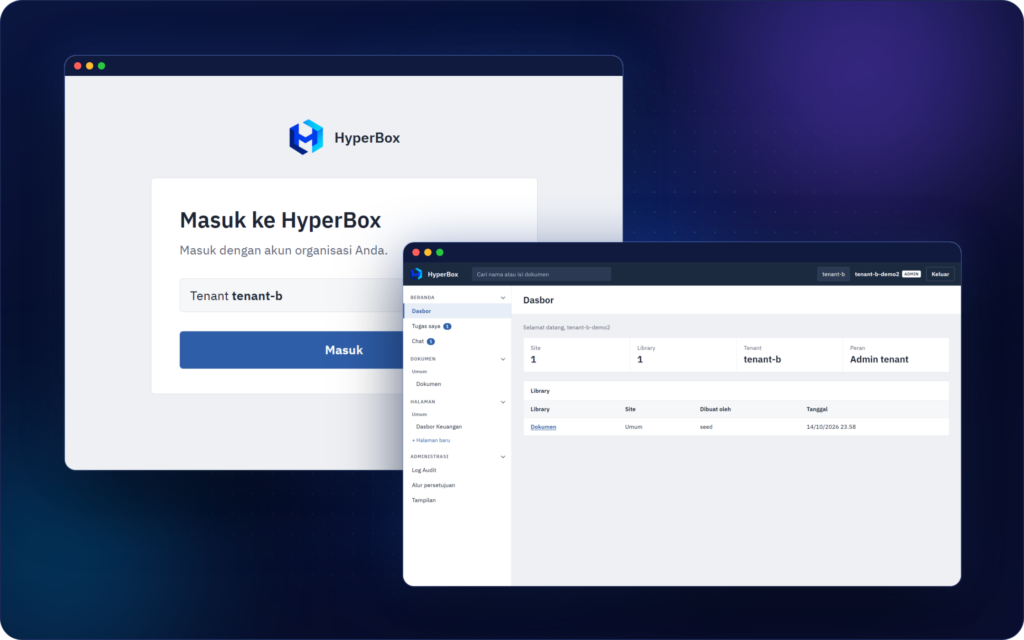
Sign In Once, Start From One Screen
Access & Dashboard
Sign in once with your organization account and land on a clean dashboard where all you work starts.
Highlight
– One organization account for every feature, managed centrally by your admin
– The portal address shows which company you’re in, so you never open the wrong workspace
– Your own company logo on the sign-in page
– Clean, office-style interface that’s easy to learn
– Search box always at the top of the screen
– Badges show pending approvals and unread mentions
Document Library & Version Control
Documents
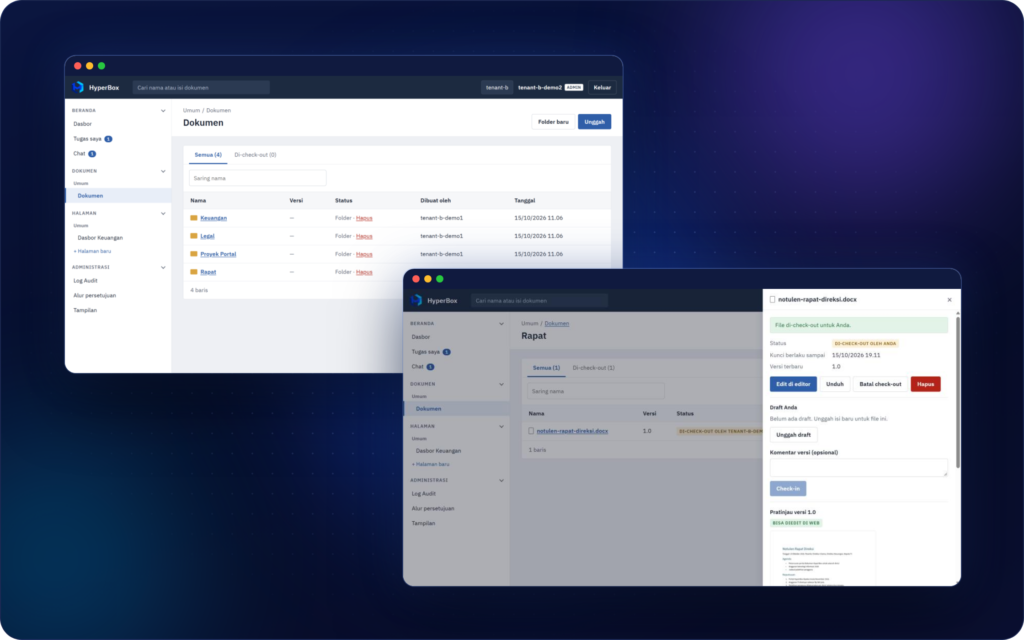
Every department’s files live in one organized library, and check-out / check-in lets your team edit together without overwriting each other.
Highlight
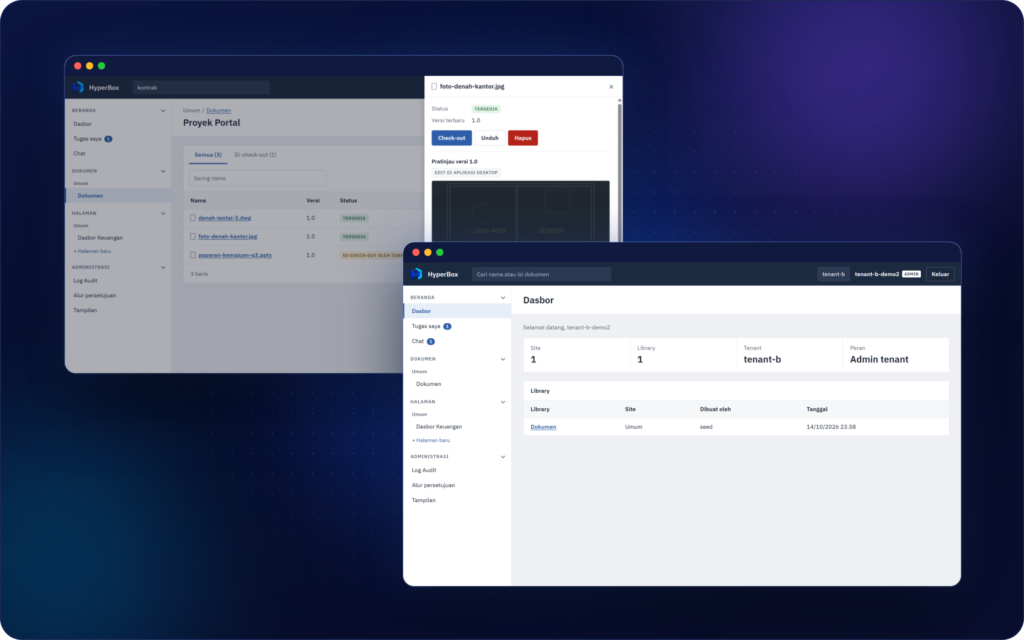
– Familiar folder structure, just like on your computer
– File status at a glance: available, checked out, or in review
– Check-out locks a file while you edit; check-in saves it as a new version
– Locks expire automatically, and admins can release them when needed
– Version history answers “who changed what, and when”
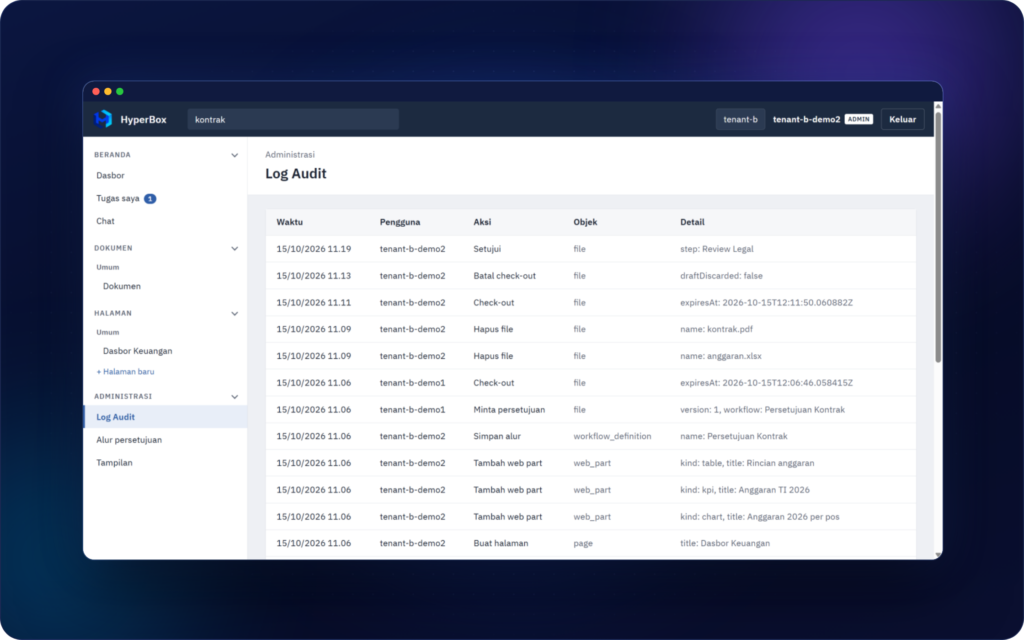
– Deletions are limited to owners and admins, and recorded in the Audit Log
Preview & Edit Office Files in theBrowser
Preview & Editor
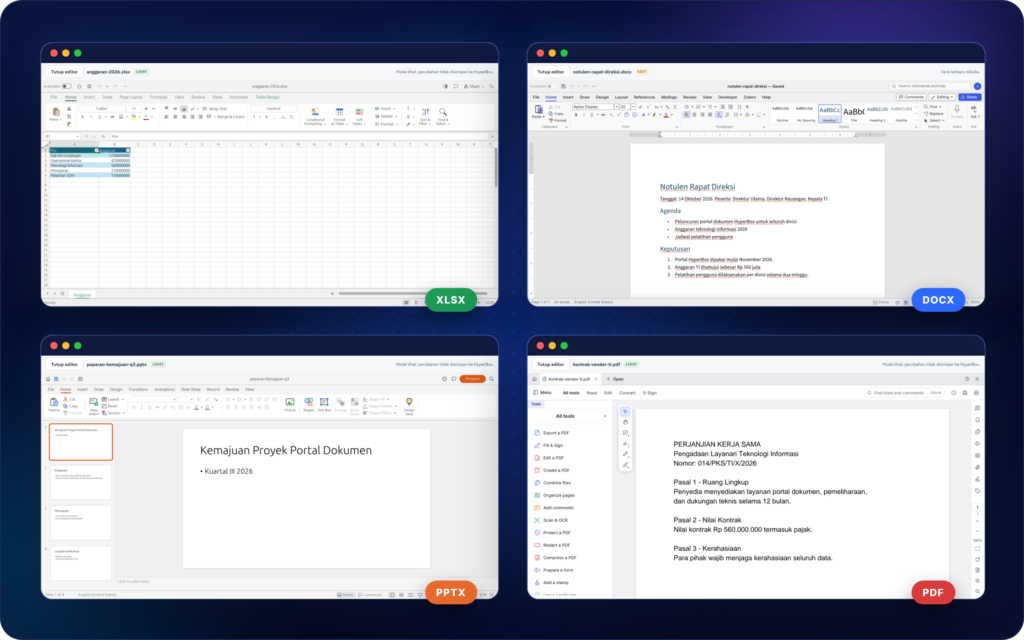
See what’s inside a file in one click, then open, edit and save Excel, Word, PowerPoint and PDF files without leaving the portal.
Highlight
– Instant preview without downloading
– Large photos are resized automatically so they open fast
– An “Editable on the web” label marks files you can edit in the browser
– Spreadsheets (.xlsx), documents (.docx), presentations (.pptx) and PDF (.pdf)
– Files stay in standard formats
– No office software to install on every computer
Search InsideEvery Document
Search
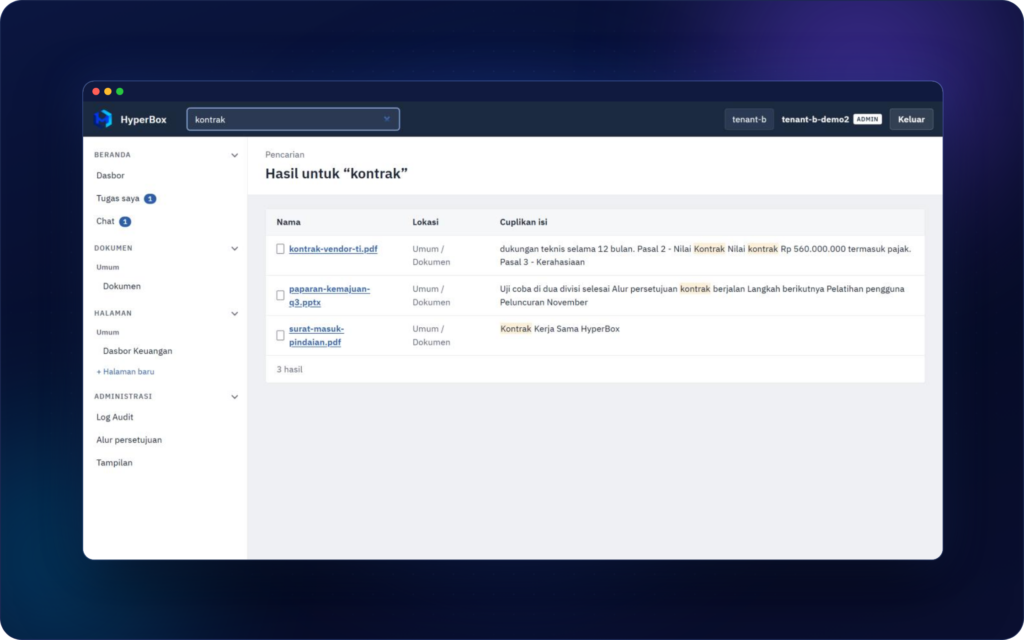
Type a word and find the document, even if you’ve forgotten its file name, and even if it started as paper.
Highlight
– Full-text search across the contents of every file
– Scanned paper documents are indexed with OCR
– Results only show your own company’s documents
Live Dashboards From Excel
Reports
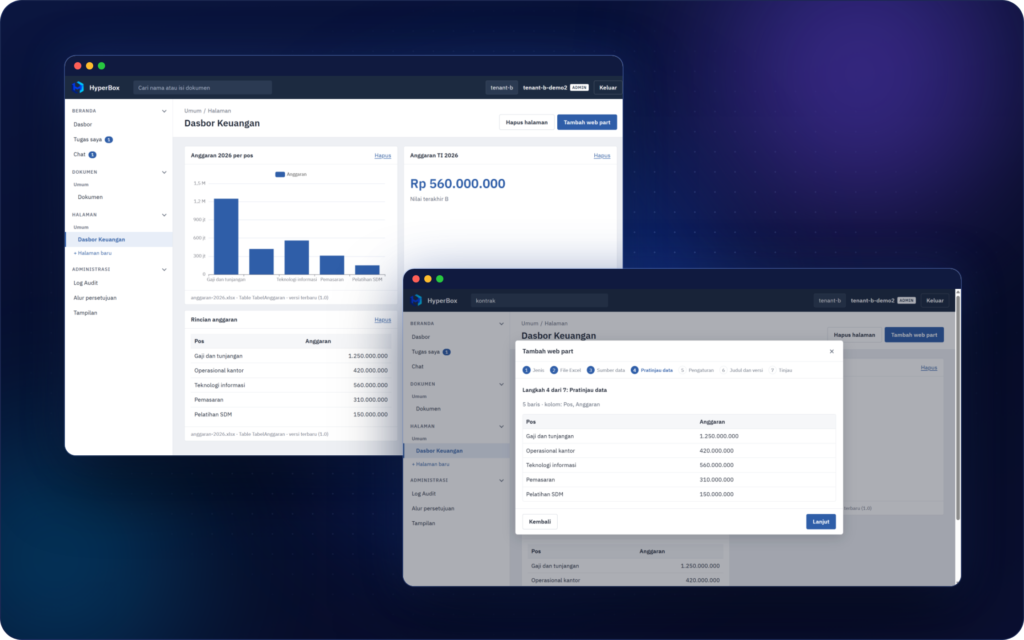
Build report dashboards that stay in sync with their source Excel files, with no copying numbers by hand.
Highlight
– Charts and KPIs always use the latest data
– Pick a specific file version to compare periods
– Built with a 7-step wizard, no formulas or code
ApprovalWorkflows
Approvals
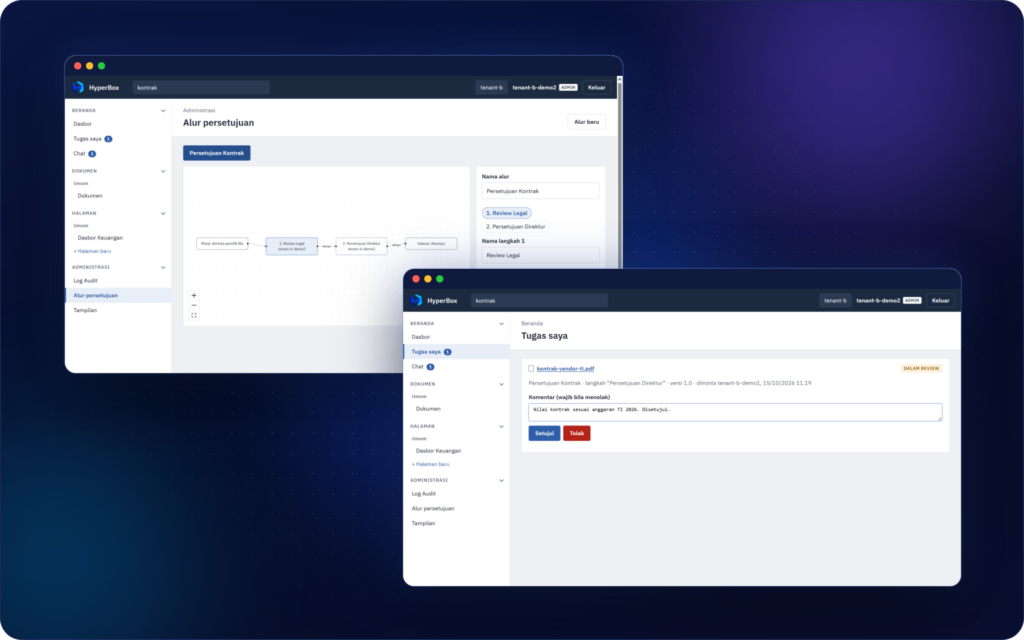
Move document approvals out of long email chains and into a clear, step-by-step workflow.
Highlight
– Clear process: who approves, which step, and the current status
– “My Tasks” shows every approval waiting for you
– Rejections require a comment, so revisions are focused
– Approval history is stored with the file
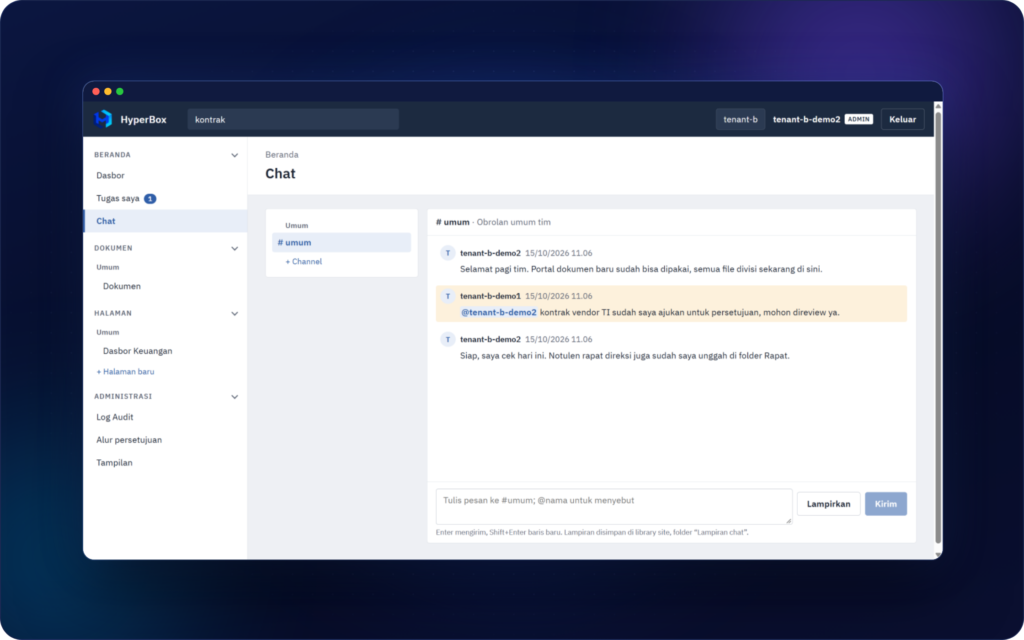
Team Chat
Communication
Coordinate with your team right next to the documents you’re working on.
Highlight
– Discussions live in the same place as the documents
– Mentions make sure the right person sees important messages
– Chat attachments are saved in the library, in a “Chat attachments” folder
Security & AuditTrail
Security
Every change is recorded, and each company’s data stays secure and separate.
Highlight
– Audit Log shows who did what, and when
– Data is fully isolated between companies
– Centralized sign-in
– Data stored on servers managed by your company
Everyday Problems, Solved by HyperBox
| Everyday problem | With HyperBox |
|---|---|
| Files scattered across email, chat and USB drives | Every document in one portal, with folders per department |
| Not sure which version is the latest | Full version history, with the latest version always on top |
| People overwrite each other’s work | Check-out locks a file while it’s being edited |
| Software needed just to open a file | Excel, Word, PowerPoint and PDF edited in the browser |
| Old or scanned documents are hard to find | Full-text search, including OCR for scans |
| Approvals buried in email chains | Multi-step approval workflow with a “My Tasks” menu |
| Reports copied by hand from Excel | Charts and KPIs pulled straight from Excel files |
| No idea who changed what | Audit Log records every action |